Back to blog
How to Download All URLs from a Website


Scraping URLs from a Webpage: Intro
In case you are our reader, you know that internet sites are full of valuable data and it can be extracted for various purposes. Today URLs attracted our attention, being a precious data asset, especially if the information you are interested in spans through multiple pages with the same page structure. Scraping all links from a website may come in handy when you scrape:
- various listings,
- news articles,
- product pages,
- direct links to certain files, etc.
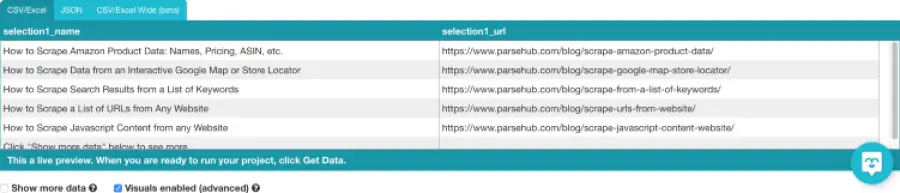
So, let’s find out how to extract all URLs from a website.
Free Web Scraping Solutions to Download a List of URLs
At present, you can find a wide range of free tools that may help you download all URLs from a website. You may choose the solution to match your target sites, Octoparse, BeautifulSoup, ParseHub are just some of the scrapers worth your consideration. You can also use Python or Selenium to scrape all links from a website. Most of them allow the users to get a list of URLs from a site in CSV, Excel, or JSON file formats.
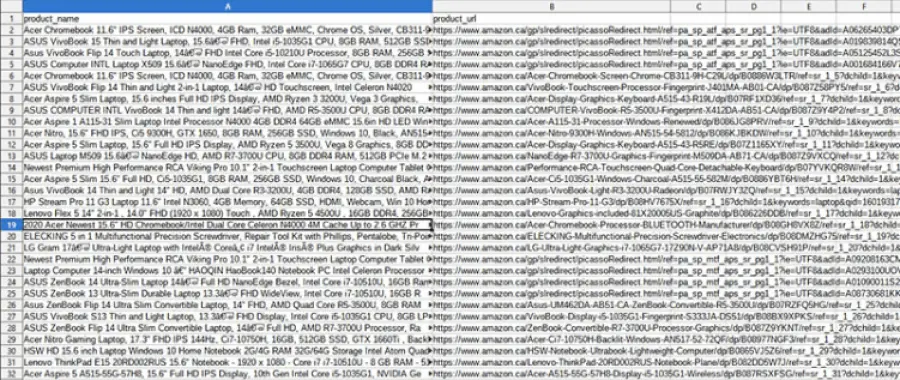
Let’s now check how you can practically deal with a list of URLs download.
Loop Over the Page Number
We mention this method first, since it’s the simplest and the most straightforward. This is the case when a URL contains a page number at the end: page=1 for the first, page=2 for the second, then page=3, and so on.

In our example, Selenium should be used. All we do is create a “for” loop where the very last number changes. It will collect the data we specified for each page. Naturally, you’ll need to cleanse data before it becomes usable, but it’s a usual routine for any scraped content.
Create a List of URLs to Download Manually and Loop Over
With pages that do not have page numbers in their URL, the task becomes more complicated. However, if you really need the specific information contained there, you should look for the way around. One of the options is to create a list of URLs for download manually and a new “for” loop for it.
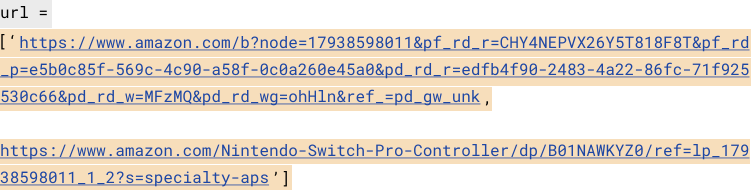
Going over every element it will collect the necessary information similarly to the method described above. However, you can guess it’s not the best solution when you need to scrape hundreds or even thousands of URLs. Then you need to use a smarter approach to solve the challenge.
Loop Over a Scraped List of URLs
How to download a list of URLs if there are a lot of them. This method works best for the listings where href attribute can help to extract links from a webpage. Href attributes specify the links to separate pages and so by creating a loop “for” them you can extract the data you want.
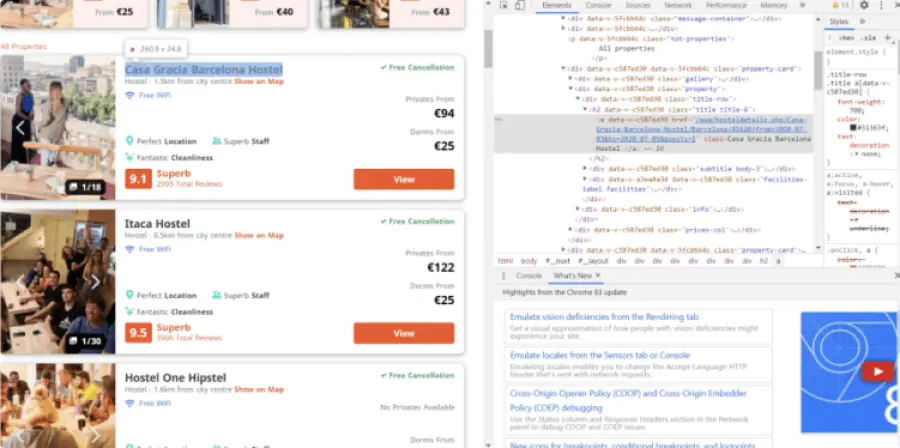
The first step would be to find all URLs on a website and scrape them, next you’ll need to generate a list of the collected URLs and then create another loop to go over this list and extract the details required. The final step is as usual to clean the data and form the final dataset.
Some Notes on List of URLs Download
It’s necessary to underline that the URLs you scrape should come from one website.
More than that, to successfully extract all links from a website make sure the target pages have the same structure, otherwise you risk to get improper results. As usual, we’ll remind you to scrape responsibly to avoid any legal issues.
Closing Thoughts on URLs Extraction
Now you know at least three methods how to download a list of URLs from a website, it may for sure help you cope with certain simple tasks. However, if you need to scrape at a large scale for some extensive business data analysis, a data delivery service is the best option.
Our company scrapes and delivers various information on clients’ requests and effectively does the job for them. Ordering professional service, you not only save time and effort but receive data of exquisite quality, since we know how to deal with it.
When it comes to URL scraping, we make sure to extract all links from a website targeted and check that the extracted data is relevant. What is more, our experts sort out and cleanse the scraped data, so that the client can process or analyze it right away. Schedule a free consultation with our data expert and discuss the options we can offer.
FAQ about How to Download All URLs from a Website
How to get all URLs from a website?
To collect all URLs from a website, you can use paid and free tools, such as Octoparse, BeautifulSoup, ParseHub Screaming Frog, and various online services. You can use Python or Selenium to scrape links from a website without resorting to third-party tools.
What are URL scraping tools?
The most popular URL scraping tools are Octoparse, BeautifulSoup, ParseHub, Webscraper, Screaming Frog, Scrapy, Mozenda, and Webhose.io.
How to get all URLs from a website?
You need to know where the website stores files to get direct download links. Websites that use WordPress usually store download file links in the /wp-content/uploads/ folder. Knowing it, you can use a web crawler to get a list of URLs in this folder and sort out the download file links ending with .pdf or other format identification. Other websites can use Dropbox, Google Drive, Box, or Amazon S3, each of them has its own storage URL patterns.
Stay ahead with data insights
Subscribe to DataOx newsletter







get a free consultation
Fill out the form — we'll get back to you with options tailored to your needs.
what happens next
We review your goals and get in touch to clarify scope
Your privacy is a priority — NDA available upon request.
You receive a clear proposal with timeline, budget, and delivery format.
Once approved, we start building your data pipeline.


contact us
Let's find the best solution for your data needs.

get a free consultation
Fill out the form — we'll get back to you with options tailored to your needs.
what happens next
We review your goals and get in touch to clarify scope
Your privacy is a priority — NDA available upon request.
You receive a clear proposal with timeline, budget, and delivery format.
Once approved, we start building your data pipeline.
contact us
Let's find the best solution for your data needs.